
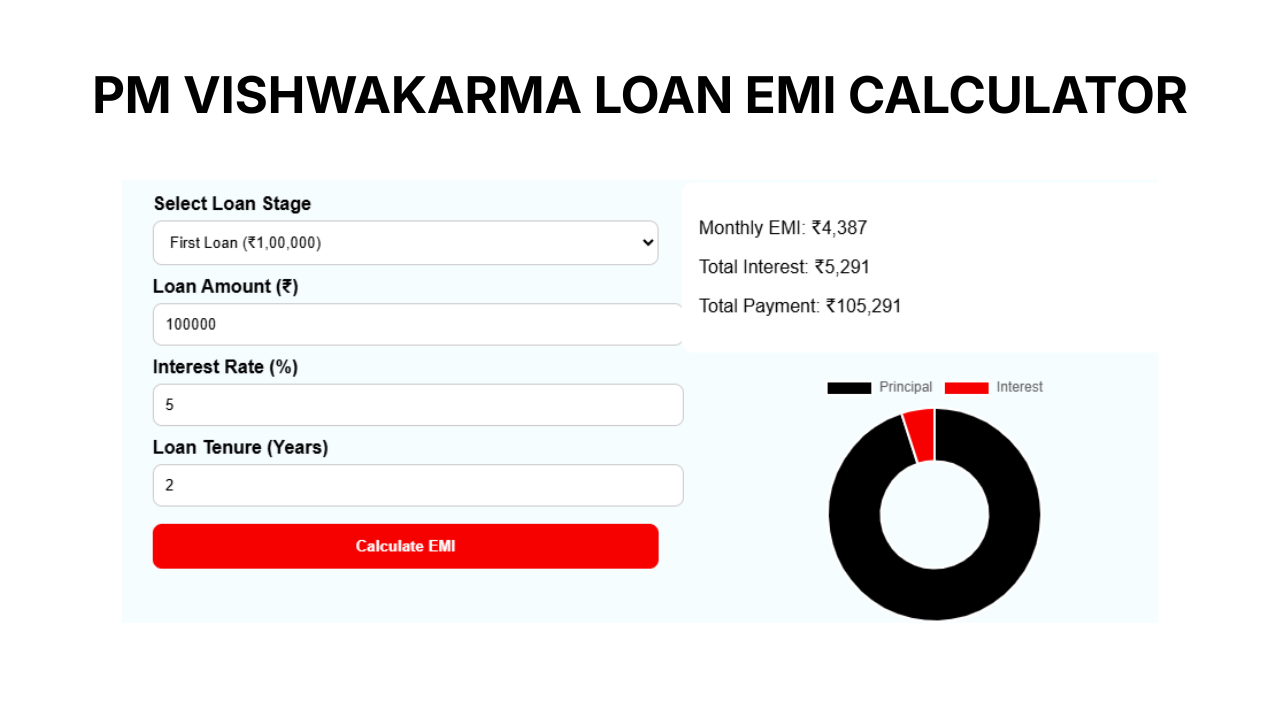
PM Vishwakarma Yojana Loan EMI Calculator
Monthly EMI: ₹0
Total Interest: ₹0
Total Payment: ₹0
How to Use PM Vishwakarma Loan EMI Calculator
Using this calculator is very easy and helps you understand your monthly loan payment in advance.
Step-by-step process:
- 1. Select Loan Stage
Choose the loan type:- First Loan → ₹1,00,000
- Second Loan → ₹2,00,000
- 2. Check or Enter Loan Amount
The amount is auto-filled based on your selection, but you can change it if needed. - 3. Enter Interest Rate (%)
By default, it is set around 5%, but you can modify it according to bank terms. - 4. Enter Loan Tenure (Years)
Select how many years you want to repay the loan (e.g., 2 or 3 years). - 5. Click on “Calculate EMI”
Instantly, the tool will show:- Monthly EMI
- Total Interest
- Total Payment
Example
If you select:
- Loan: ₹1,00,000
- Interest: 5%
- Time: 2 years
The calculator will show your monthly EMI and total cost, helping you plan your finances better.