
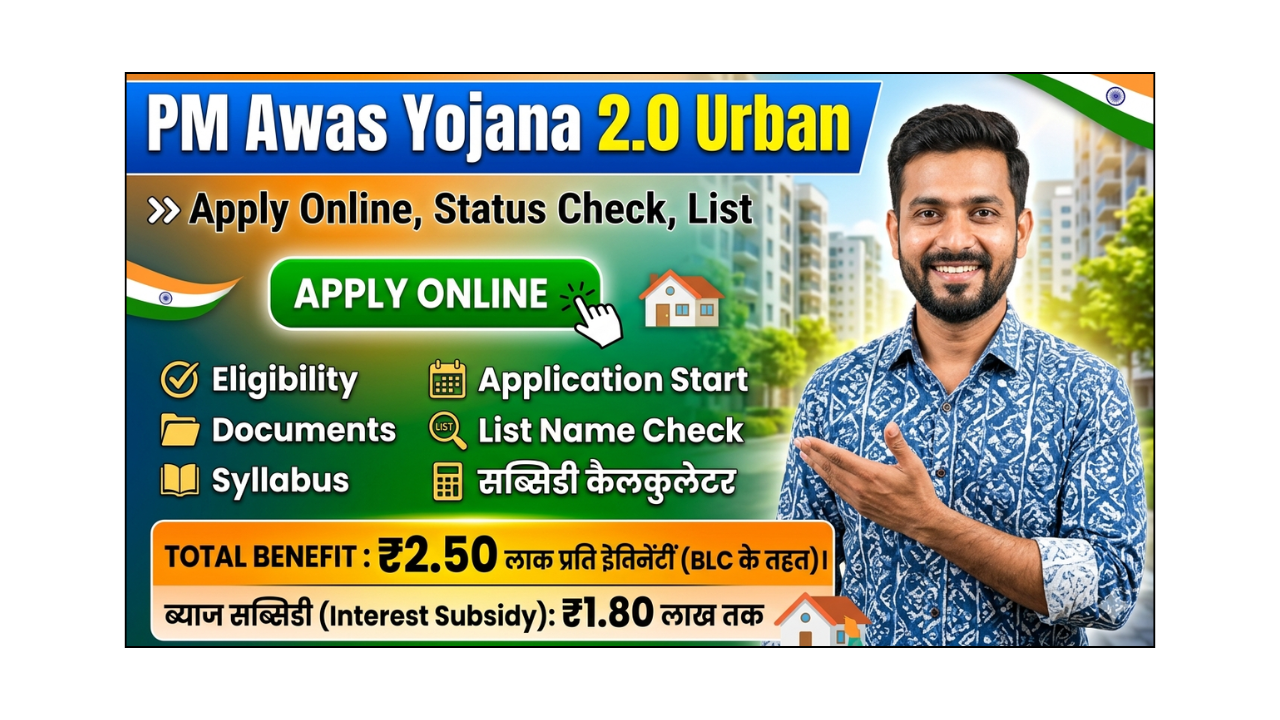
अगर आप शहर में अपना पक्का घर बनाने का सपना देख रहे हैं, तो अब यह सपना सच हो सकता है। PM Awas Yojana 2.0 (Urban) के तहत सरकार आर्थिक रूप से कमजोर और मध्यम वर्ग के लोगों को सस्ती दरों पर घर उपलब्ध कराने में मदद कर रही है। इस योजना के जरिए लाखों परिवार पहले ही लाभ उठा चुके हैं, और अब नए आवेदन फिर से शुरू हो रहे हैं।
इस योजना की सबसे खास बात यह है कि इसमें आपको सब्सिडी के साथ होम लोन मिलता है, जिससे घर खरीदना या बनाना काफी आसान हो जाता है। अगर आपने अभी तक आवेदन नहीं किया है, तो यह सही समय है। नीचे हम आपको आवेदन प्रक्रिया, स्टेटस चेक, पात्रता, और जरूरी दस्तावेज के बारे में आसान भाषा में पूरी जानकारी दे रहे हैं।
| बिंदु | जानकारी |
|---|---|
| योजना का नाम | प्रधानमंत्री आवास योजना 2.0 (Urban) |
| शुरू करने वाली संस्था | Ministry of Housing and Urban Affairs |
| लाभार्थी | शहरी गरीब, LIG, MIG वर्ग |
| उद्देश्य | सभी के लिए पक्का घर |
| आवेदन मोड | ऑनलाइन |
| सब्सिडी | होम लोन पर ब्याज में छूट |
| आधिकारिक वेबसाइट | pmaymis.gov.in |
PM Awas Yojana 2.0 Urban के फायदे (Benefits)
- होम लोन पर ब्याज सब्सिडी (CLSS) मिलती है
- महिलाओं के नाम पर घर होने पर प्राथमिकता
- आर्थिक रूप से कमजोर वर्ग के लिए सस्ता घर
- घर बनाने या खरीदने के लिए वित्तीय सहायता
- EMI कम हो जाती है सब्सिडी के कारण
पात्रता (Eligibility)
- आवेदक भारत का नागरिक होना चाहिए
- पहले से पक्का घर नहीं होना चाहिए
- आय वर्ग के अनुसार श्रेणी:
- EWS: ₹3 लाख तक
- LIG: ₹3-6 लाख
- MIG: ₹6-18 लाख
- परिवार में पति, पत्नी और अविवाहित बच्चे शामिल
जरूरी दस्तावेज (Documents Required)
- आधार कार्ड
- पहचान पत्र (Voter ID / PAN Card)
- आय प्रमाण पत्र
- बैंक पासबुक
- पासपोर्ट साइज फोटो
- मोबाइल नंबर
- निवास प्रमाण पत्र
ऑनलाइन आवेदन कैसे करें (Online Apply Process)
- Pradhan Mantri Awas Yojana की आधिकारिक वेबसाइट पर जाएं
- “Citizen Assessment” विकल्प चुनें
- अपना आधार नंबर डालें
- फॉर्म भरें (नाम, पता, आय आदि)
- सभी जानकारी जांचकर सबमिट करें
- आवेदन नंबर सुरक्षित रखें
आवेदन स्टेटस कैसे चेक करें (Form Status Check)
- वेबसाइट पर जाएं
- “Track Your Assessment Status” पर क्लिक करें
- अपना आवेदन नंबर या मोबाइल नंबर डालें
- स्टेटस स्क्रीन पर दिख जाएगा
रजिस्ट्रेशन (Registration)
- आवेदन करते समय ही आपका रजिस्ट्रेशन हो जाता है
- अलग से रजिस्ट्रेशन करने की जरूरत नहीं
- सही जानकारी देना बहुत जरूरी है
महत्वपूर्ण टिप्स
- फॉर्म भरते समय कोई गलती न करें
- सभी दस्तावेज सही और स्पष्ट अपलोड करें
- आवेदन नंबर सुरक्षित रखें
- केवल आधिकारिक वेबसाइट का ही उपयोग करें
Important Links
| PM Awas Yojana 2.0 Urban Apply Online | Click Here |
| PM Awas Yojana 2.0 Urban Status Check | Click Here |
| PM Awas Yojana 2.0 Urban List Name Check | Click Here |
| PM Awas Yojana 2.0 Subsidy Calculator | Click Here |
| Official Site | Click Here |
| Home Page | Click Here |
Respected Sir/Madam,
I would like to inform you that I, Sanjay Joshi, resident of Chandra Bhaga, Aincholi, Pithoragarh, Uttarakhand, have applied for an E-Shram Card for myself and my wife. We belong to a low-income family and are eligible for the benefits provided under the E-Shram scheme.
We have visited the concerned office several times and have also submitted our applications online along with all the required documents. However, our applications have not yet been approved. We have not received any clear reason for the delay or rejection.
Therefore, I kindly request you to look into this matter and investigate why our E-Shram Card applications are not being approved. I would appreciate your assistance in resolving this issue at the earliest so that my family can receive the benefits available under the scheme.
Thank you for your time and consideration. I look forward to your prompt response.
Yours faithfully,
Sanjay Joshi
Chandra Bhaga, Aincholi
Pithoragarh, Uttarakhand
how to check track UK030530526118537175 .
you can check from giving links in the end of article
Dear Sanjay Ji,
Thank you for sharing your concern.
To help resolve the issue, you may consider the following steps:
• Check whether your Aadhaar number is correctly linked with your mobile number.
• Verify that all details submitted in the application (name, date of birth, address, bank account details, etc.) match your Aadhaar records.
• Ensure that your bank account is active and correctly linked.
• Visit your nearest Common Service Centre (CSC) and ask them to check the status of your application and any pending corrections.
• Contact the official E-Shram helpdesk or the local labour department office for information about the reason for the delay.
• If any document or information is missing, submit the required correction or update as advised by the authorities.
We hope your issue is resolved soon and that you receive your E-Shram Card without further delay.
Please note that this is not the official E-Shram website, and we do not have access to application records. Therefore, we are unable to check or approve E-Shram Card applications.
Regards,
CP Team